
For candidates
Asked to complete a background check?
It’s done on your phone, in plain English, and your answers save as you go. Here’s what to expect, and what to have ready.
Start from your email. Open the link in the email “We are ready to do your background checks”. There’s no account to create, and no password.
Your check is carried out by Templeman & Associates, on behalf of the organisation you’re applying to.
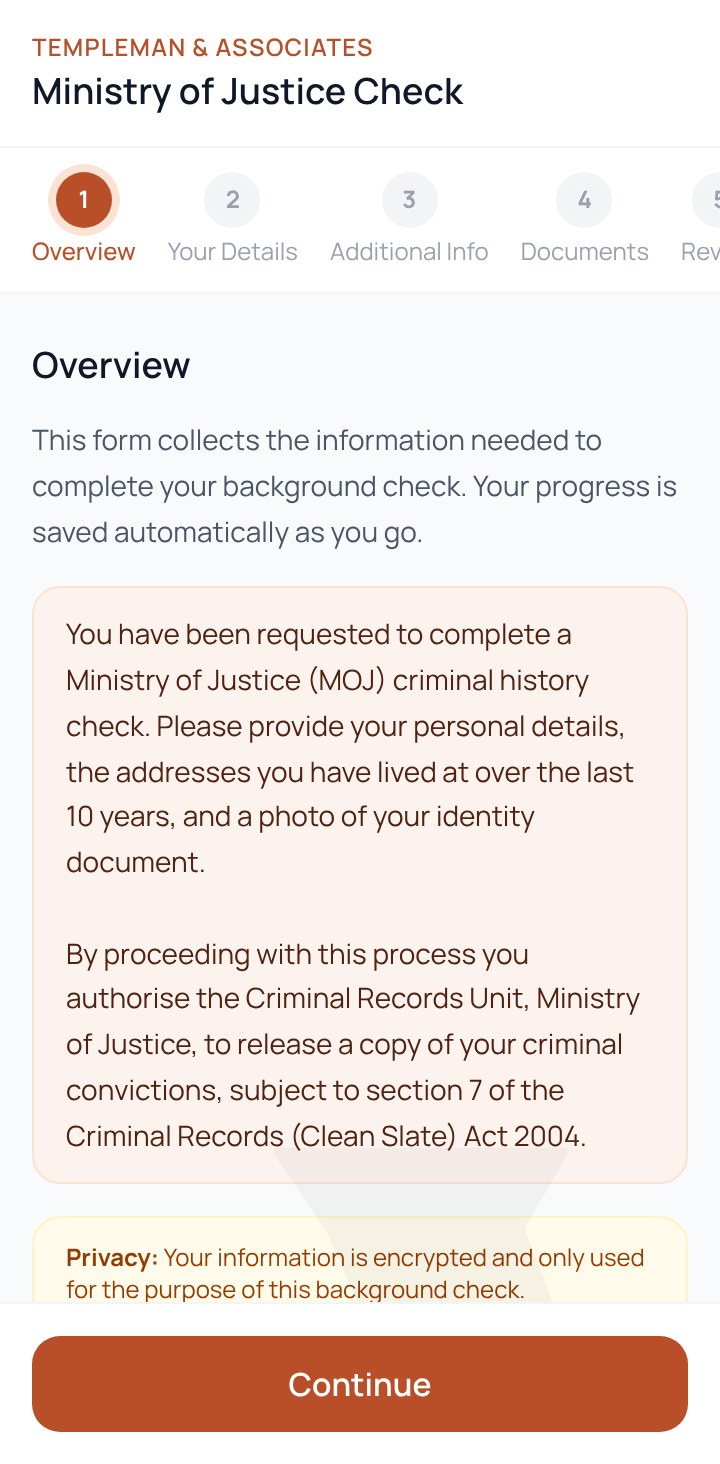
Your form
Five short steps
- 1
Open your email link
Tap “Click here to complete” in the email “We are ready to do your background checks”.
- 2
Check your details
Your name and contact details are filled in. Add your date and place of birth.
- 3
Add your addresses
Start with where you live now, then each previous home address.
- 4
Scan your ID
Point your camera at your driver licence, or upload another accepted ID.
- 5
Review and submit
Check everything, read and give your consent, and submit.
Before you begin
Have these ready
Photo ID
One of these. A driver licence is quickest: you can scan it with your phone’s camera.
- NZ driver licence
- NZ passport
- NZ firearms licence
- Overseas passport
- Proof of Identity form
Your address history
Where you live now, then each previous home address.
- 10 years for a Ministry of Justice check
- 3 years for a credit check
Anything else your check needs
Depending on the checks, you may also be asked for:
- Referees’ contact details
- Current and previous employers
Questions
Good to know
How long does my link last?
Seven days from when it was sent. If it has expired, you’ll see “Link unavailable”. Contact the person named in your invitation email, and they can arrange a new link.
I stopped halfway. Do I have to start again?
No. Your answers save automatically as you go. Open the same link again and we’ll email you a six-digit code. Enter it, and your form reopens where you left off, with everything you entered. Codes last 10 minutes, and you can ask for a new one.
Who sees my information?
It’s used only for this background check. Templeman & Associates carries out the checks, and the results go to the organisation that asked for them. You’re asked for your consent before you submit.
What happens to the photos of my ID?
They’re used to confirm your identity for the check, and are securely deleted after 90 days.
Can I get my own copy of my Ministry of Justice report?
Yes. On the Your Details step, choose Yes for “Would you like your own copy of the report?” and the Ministry of Justice will email it to you.
Do I need to download an app or create an account?
No. Everything happens in your phone’s browser from the link in your email. You can also use a computer.
Who do I contact with questions?
The person named in your invitation email. They’re your point of contact for this role.
How your information is collected, used, shared and kept is set out in our privacy policy.