
Background checks, sorted
Background checks, without the chasing.
v’chex is Templeman’s background-check service. Order a check in a minute. Your candidate completes their part on their mobile phone. Every result lands in one place. With privacy built in.
A service of
v’chex in two minutes
How you order a check, what your candidate does on their phone, and how results come back to you.
Read the transcript
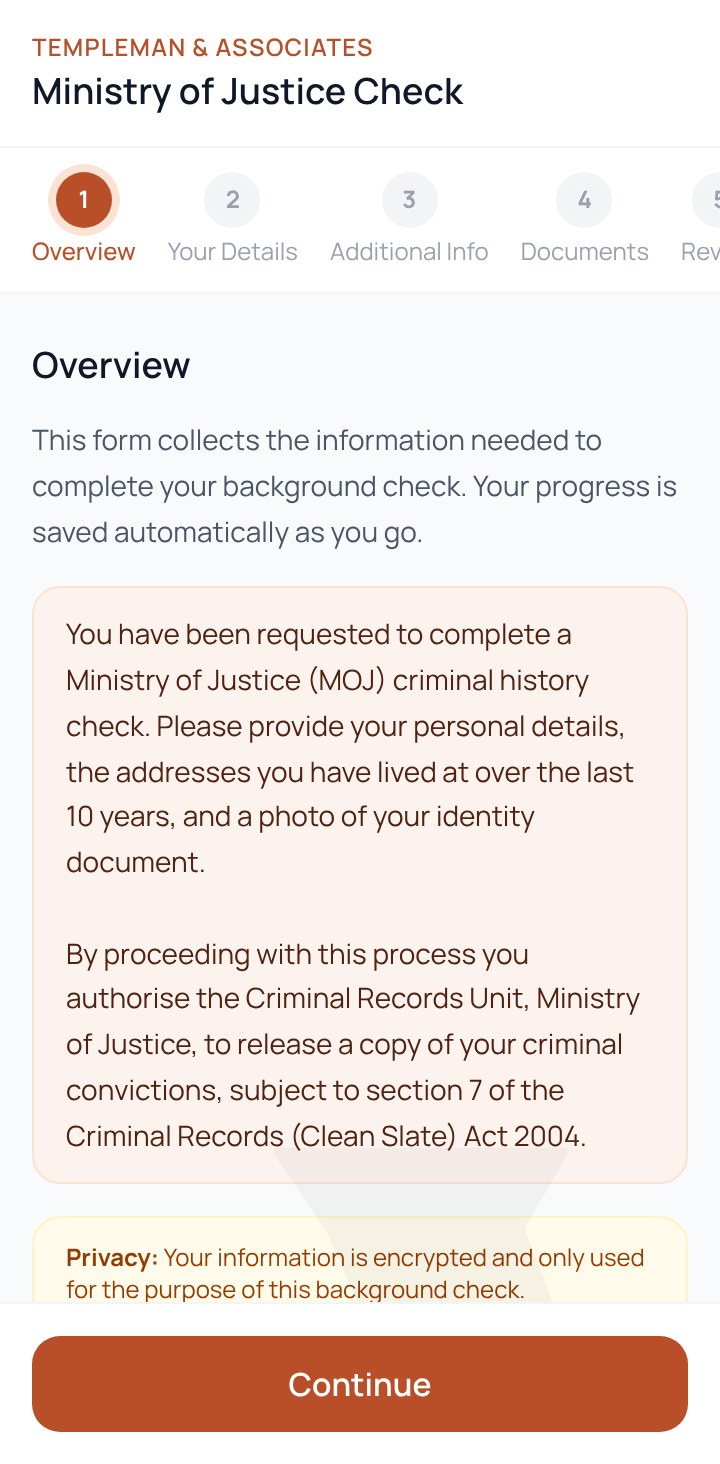
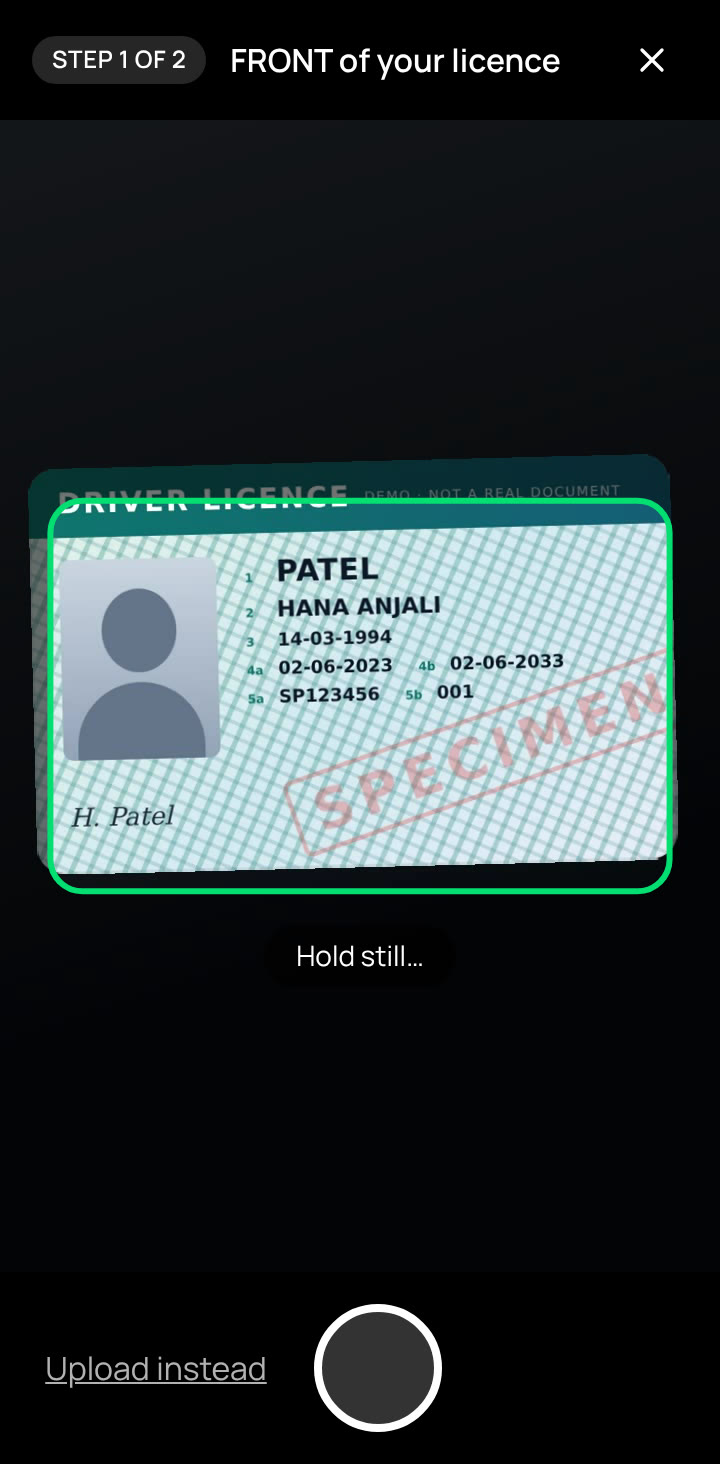
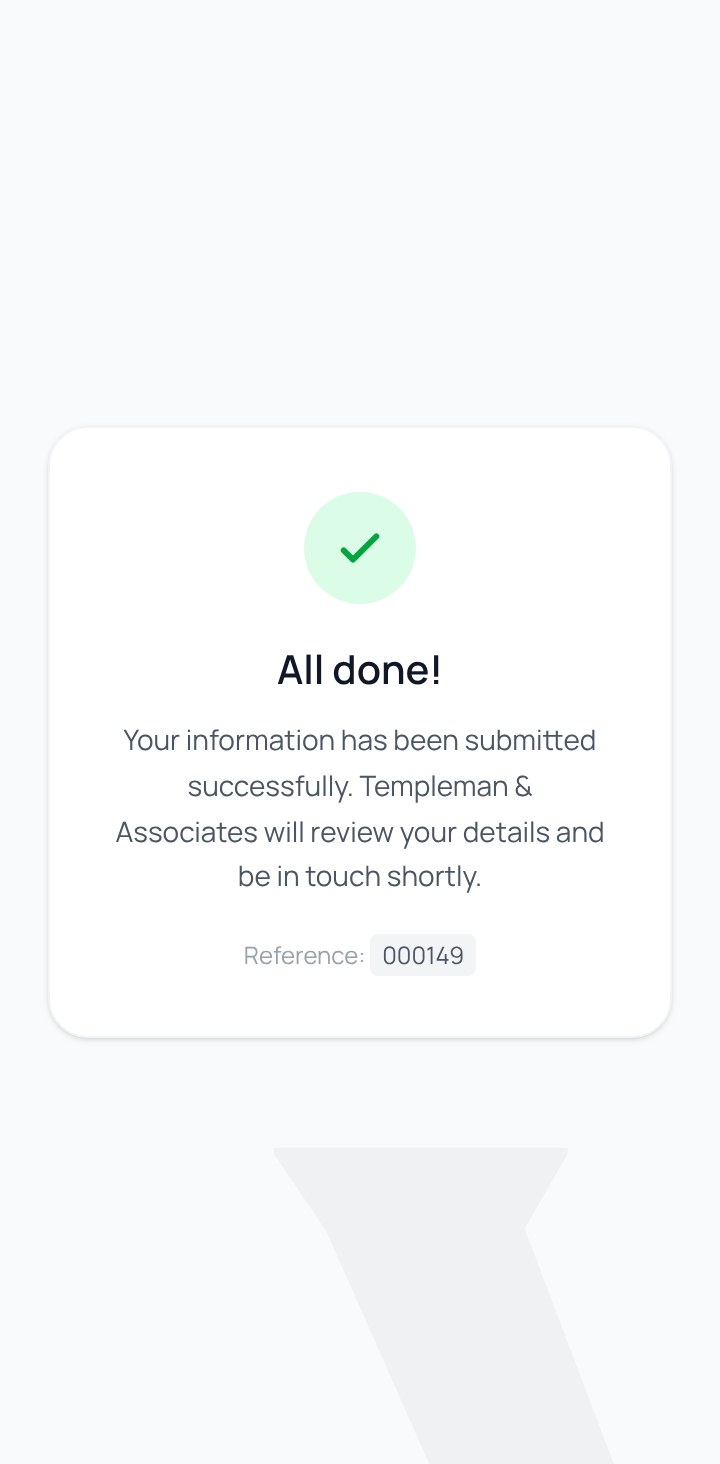
Hiring someone new? The background check shouldn’t be the slow part. This is v’chex. You order checks in a minute, your candidate finishes theirs on their phone, and every result lands in one place. Here’s how it works. From your v’chex dashboard, start a new check. Add your candidate’s name and email, tick the checks you need, and create the job. v’chex sends your candidate a secure link straight away. No forms to email back and forth, and nothing to chase. Your candidate opens the link on their phone. There’s no app to install, and no account to create. They see exactly what’s being checked, and why, in plain English. Details you’ve already entered are filled in for them. Everything saves as they go, so they can stop and finish later. For ID, they point their camera at their driver licence. v’chex takes the photo as soon as it’s lined up, reads it, and fills in the details. Their details come straight from the licence, ready to check. Then they review, give their consent, and submit. Back in v’chex, you see the moment they submit. As each check comes back, it turns green, or red if there’s something to look at. When everything’s complete, you’re emailed the outcomes, so there’s no need to keep checking. Reports open only after a privacy agreement, so sensitive information is handled properly, every time. And if a candidate needs a nudge, overdue checks are one click away. Less chasing for your team. A smoother experience for your candidates. And every check in one secure place. That’s v’chex. Your background checks, sorted.
Who v’chex is for
- For candidatesAsked to complete a background check?See what to expect, what to have ready, and how to finish it on your phone.Start here →
- For employersHiring? Let Templeman run your checksHow Templeman and v’chex take the chasing out of background checks for your team.See how it works →
- Already a client?Log in to your portalOrder checks, follow every candidate, and open results.Log in →
How it works
Three steps, and the candidate’s is the easy one
- 1Employer
Order in a minute
Add the candidate’s name and email, tick the checks you need, and create the job. v’chex sends them a secure link straight away.
- 2Candidate
Done on their phone
No app and no account. Plain-English explanations, details filled in from the order, a quick licence scan, and progress saved as they go.
- 3Employer
Results in one place
Each check turns green when it’s clear, or red when there’s something to review. You’re emailed when everything’s complete.
Why teams choose v’chex
Faster for your team. Easier for your candidates.
Plain English
Candidates see what’s being checked, and why, before they start.
Licence scanning
The photo is taken as soon as the licence is lined up, then read to fill in details.
Saved as you go
Candidates can stop and come back with a code sent to their email.
At a glance
Colour-coded checks, one-click filters, and overdue jobs flagged for you.
Told when it’s done
The hiring manager is emailed each check’s outcome as soon as everything’s complete.
Privacy built in
Reports open only after a privacy agreement, and ID photos are deleted after 90 days.
The checks we run
Order one, or several in a single job
Tick the checks you need when you create the job. Templeman carries them out and the results come back to you in v’chex.
Ministry of Justice check
Criminal history from the Ministry of Justice, with the candidate’s consent. They can ask for their own copy of the report.
Credit history check
A credit report for roles that handle money or sensitive accounts. For candidates aged 18 or over.
Reference check
Templeman speaks to the candidate’s referees. Add a CV to the job and Templeman has it straight away.
Qualifications check
Confirms the qualifications the candidate says they hold.
Need a check that isn’t listed? Ask us.
Getting started
Up and running in a couple of minutes
Templeman creates your account and you get a “Set up your v’chex account” email. Choose a password, sign in, and you’re ready to order your first check.
- No software to install: it all runs in your browser
- Short training videos for your team, inside v’chex once you log in
- Templeman on hand to help, from set-up to results
Setting up your account
Your welcome email, choosing a password, signing in, and finding your way around.
Read the transcript
Welcome to v’chex, where you order and track background checks for your candidates. In the next two minutes, you’ll set up your account, sign in, and find your way around. When your screening provider adds you, you’ll receive a welcome email called “Set up your v’chex account”. Select Set your password within twenty-four hours. Choose a password. Each rule turns green as you meet it: at least eight characters, upper and lower case, a number, and a special character. Type it again to confirm, then select Set Password. You’re ready to sign in. Sign in with your work email and your new password. If you ever forget it, select “Forgot password?” and a fresh link is emailed to you. This is your dashboard. Your screening provider’s logo sits at the top left, and your initials, on the right, open your profile. Use the menu to move between your Dashboard and your Jobs. These tiles summarise all your jobs: how many in total, in progress, completed, and awaiting your candidate. Click any tile to open the full list. Recent Jobs shows your five latest, each with its job number, status, and candidate. Notifications list candidates who haven’t finished their details yet, so you know who to follow up. Quick Actions start a new job, or open your full list. To update your details, click your initials. Keep your mobile number current, in international format. You can change your password here too. When you’re done, select Save Changes. Finished for the day? Select Logout. For your security, you’re also signed out automatically after thirty minutes of inactivity. That’s it. You’re set up and ready to go. In Module 2, we’ll order your first background check.
- Consent firstCandidates read and give consent before they submit.
- Links that expireEach candidate link lasts 7 days; returning visits need a code sent by email.
- Reports behind an agreementResults open only after agreeing to handle them under the Privacy Act 2020.
- ID photos deletedPhotos of ID documents are securely deleted after 90 days.
Become a client
Want Templeman to run your background checks?
There’s nothing to install. Your team orders checks in v’chex, and Templeman does the rest.
A service of
- 1
Talk to us
Tell us about the roles you hire for and the checks you need.
- 2
We set you up
Templeman creates v’chex accounts for your team. Each person gets a set-up email.
- 3
Order your first check
Log in, add your candidate, tick the checks, and v’chex does the chasing.
Already involved?
Completing a background check?
Open the link in your invitation email. There’s no account to create.
What to expect →